
The e-Księgowość system enables full integration with the National e-Invoice System, so it is possible to both send and receive invoices from KSeF. In order to achieve full integration, it is necessary to upload KSeF certificates.
Cost documents that have been issued for your company and sent to KSeF will always be downloaded directly from KSeF automatically to e-Accounting during the night.
After going to the Dokumenty/Do zatwierdzenia tab, a list of all documents downloaded automatically from the National e-Invoice System is available, along with their assigned KSeF ID numbers.
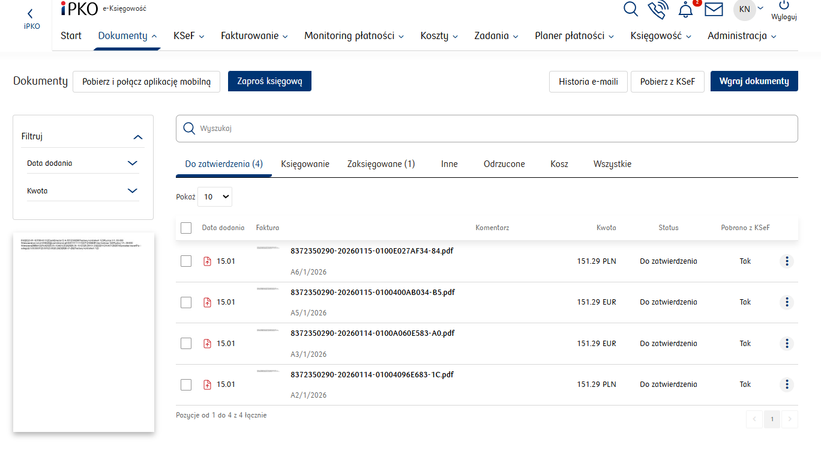
Depending on the type of document, it will have a different designation on the list:
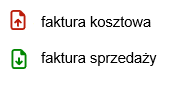
- Cost invoice
- Sales invoice
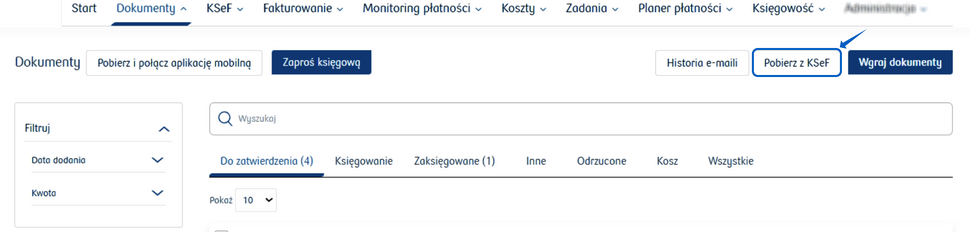
If you need to download a document during the day, the Pobierz z KSeF button is available.
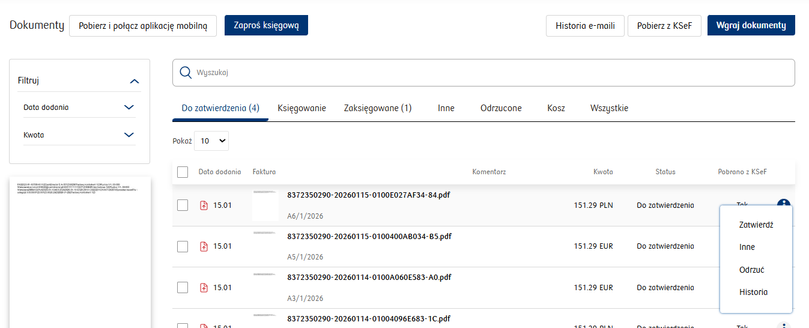
When you hover your mouse cursor over a document in the list of invoices downloaded from KSeF, the following options are available:
- Zatwierdź (Approve) - the document will be approved and moved to the Accounting tab;
- Inne (Other) - the document will be moved to the Other tab;
- Odrzuć (Reject) - the document will be moved to the Rejected tab;
- Historia (History) - if the scan has been moved between tabs several times, the scan history shows the stages of its transfer;